Quarter Guide
XM Account Types 2026: Micro, Standard, Ultra Low and Shares Compared
Compare XM Standard, Ultra Low, Micro, Shares and regional Zero accounts by deposit, contract size, pricing, platform and ideal use.
Published · Facts verified
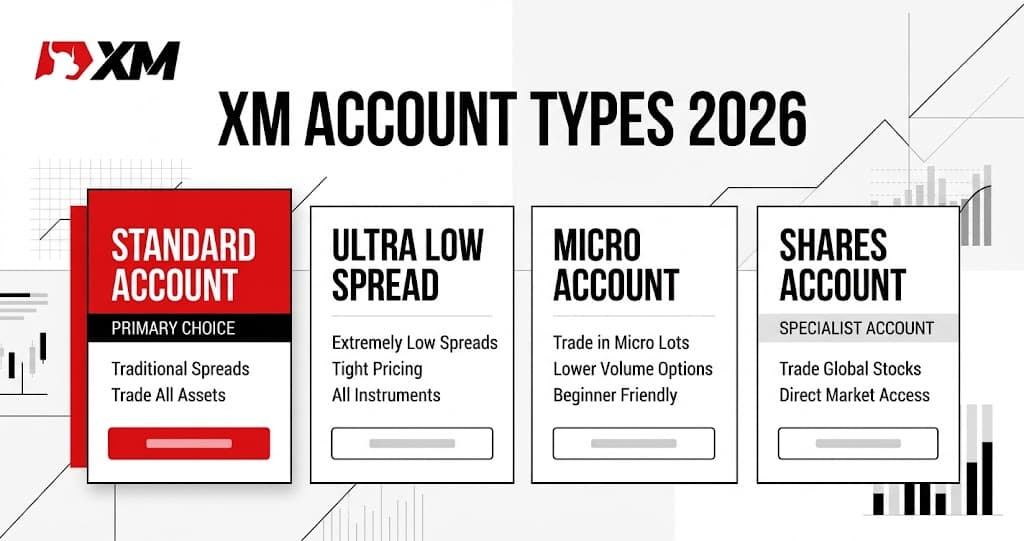
Which XM account type should you choose?
The XM Standard account is the clearest default for many new customers: it currently starts from $5, uses a straightforward pricing structure and can include bonus access where XM offers an eligible regional promotion. Choose Ultra Low when reduced spreads and ongoing trading costs are the priority. Choose a Micro variant, where available, when smaller contract sizing matters most. The Shares account is XM's specialist option and currently shows a $10,000 minimum.
XM operates through regional entities, so account names and conditions are not identical in every country. Opening an XM profile is free and lets you see the live account menu before making a deposit.
XM will show the account types, platforms, currencies and current regional promotions available to your profile.
Terms apply and offers can change — always confirm on the official site.
XM account types compared
| XM account | Published minimum | Pricing and sizing | Best fit |
|---|---|---|---|
| Standard | $5 on the global page | Standard contract sizing and spread-led pricing | Most new customers and eligible bonus seekers |
| Ultra Low | $5 on the global page | Lower-spread positioning with reduced swap fees or commissions | Active or higher-volume trading |
| Micro / Ultra Low Micro | Check the regional application | One Micro lot represents 1,000 base-currency units | Smaller position increments and gradual live practice |
| Shares | $10,000 on the global page | Dedicated shares-oriented account | Customers specifically seeking XM's shares offering |
| XM Zero, where offered | Check the regional application | Tight quoted spreads with separate commission | Customers comparing commission-led pricing |
XM Standard account: the best all-round starting point
XM describes Standard as its most popular account. The global account page currently displays a $5 minimum deposit, making it easy to open and explore without a large initial commitment. Pricing is familiar: trading costs are primarily reflected in the spread rather than a separate commission on every standard trade.
Standard is particularly attractive where XM displays an eligible welcome promotion. It gives customers the simplest path from registration to MT4 or MT5 while retaining access to XM's broad account-management and educational ecosystem.
For most eligible newcomers who have not yet developed a specialised high-volume or commission-led strategy, Standard is the most natural first account to inspect.
XM Ultra Low account: built around lower trading costs
Ultra Low also currently starts from $5 on XM's global page. XM positions it for customers who trade higher volumes and want lower spreads together with reduced swap fees and commissions on eligible instruments.
Some regional menus divide Ultra Low into Standard and Micro variants. Ultra Low Standard retains conventional contract sizing, while Ultra Low Micro combines the lower-cost positioning with smaller contract units.
Ultra Low is a strong second choice when your strategy is active enough for ongoing costs to matter more than access to a promotional package. The secure XM account area shows the exact instrument and pricing terms offered to your profile.
XM Micro accounts: smaller contract sizing
An XM Micro lot represents 1,000 units of the base currency, compared with 100,000 units for a conventional Standard lot. The smaller contract unit makes it easier to express position sizes in finer increments while learning how live margin and price movement work.
Depending on the region, the menu may show Micro, Ultra Low Micro or another local variation. The practical attraction remains the same: smaller contract sizing can make a live account easier to manage while you build familiarity with XM's platforms.
A Micro account is still a leveraged trading account. Use XM's free demo environment first, then select an order size that matches the amount you are prepared to risk.
XM Shares account: the specialist option
XM's global page currently displays a $10,000 minimum for the Shares account. This separates it clearly from Standard and Ultra Low, both of which currently start from $5.
The Shares account is designed for customers who specifically want the shares-oriented offering rather than a general-purpose first XM account. If Shares appears in your regional application, review the available companies, trading schedule, currency and account terms shown before funding it.
XM Zero account: where it appears
XM Zero continues to appear in some official regional help and account menus. It combines very tight quoted spreads with a separate commission. XM's help information currently states a commission of $3.50 per $100,000 traded on each side of a transaction.
This structure makes the spread and commission visible as separate components. Where XM Zero is offered, the account screen provides the applicable instruments, commission and MT4 or MT5 compatibility for that entity.
Which XM account should use MT4 or MT5?
MT5 is the stronger default for most new XM accounts. XM's help centre says MT5 supports its broader multi-asset lineup, including stock CFDs where available. It also provides more timeframes and pending-order types than MT4.
MT4 remains a practical choice when your strategy depends on an existing MQL4 Expert Advisor, indicator or template. Account and platform combinations vary by region, and the XM application shows which choices can be opened together.
Our detailed MT4 vs MT5 comparison explains the platform differences before you make the selection.
How to choose your XM account
- 1
Open your free XM profile
Register with your genuine country so XM can display the correct entity and regional account lineup.
- 2
Start with your main priority
Choose Standard for the straightforward all-round setup, Ultra Low for lower-cost positioning or Micro where smaller contract units are the priority.
- 3
Select MT5 unless you specifically need MT4
MT5 is the broader default; MT4 remains useful for established MQL4 tools and workflows.
- 4
Review the live regional terms
Check the minimum deposit, base currency, instruments and any current promotion shown for the selected account.
- 5
Practise before funding
Use XM's free demo environment to become familiar with order sizing, margin and platform controls before moving to a live deposit.
The XM minimum deposit guide explains the $5 entry point and why an individual payment route can display a different transaction minimum.
Registration is free. If XM displays a partner-code field, PC888 identifies Trading Quarters as the referring partner without changing the account pricing.
Terms apply and offers can change — always confirm on the official site.
XM account types FAQ
What account types does XM offer in 2026?
XM's global account page currently highlights Standard, Ultra Low and Shares accounts. Some regional XM menus also offer Micro, Ultra Low Micro, Ultra Low Standard or XM Zero accounts. Your registration flow shows the exact lineup available for your country and XM entity.
Which XM account type is best for beginners?
The Standard account is the clearest default for many eligible beginners because it starts from $5, uses a straightforward spread-led structure and can include access to regional XM promotions. A Micro or Ultra Low Micro account can also be attractive where offered when smaller contract sizing is the priority.
What is the difference between XM Standard and Ultra Low?
Standard is XM's broadly positioned account and can include bonus access where an eligible promotion is available. Ultra Low is designed around lower spreads and reduced swap fees or commissions. Both currently show a $5 minimum on XM's global account page.
What is an XM Micro account?
An XM Micro account uses a smaller contract size: one Micro lot represents 1,000 units of the base currency. This makes smaller position increments easier to manage. Micro and Ultra Low Micro availability depends on the customer's region.
What is the XM Shares account minimum deposit?
XM's global account page currently shows a $10,000 minimum deposit for its Shares account. It is a specialist account for customers interested in the shares offering and is separate from the $5 Standard and Ultra Low entry points.
Does XM still offer a Zero account?
XM Zero continues to appear in some regional XM help and account menus. It uses commission-based pricing alongside very tight quoted spreads. If it appears in your application, compare its displayed commission, instruments and platform options with Standard and Ultra Low.
Can I use XM account types on both MT4 and MT5?
Platform compatibility depends on the account and region. XM says MT5 provides the broader multi-asset lineup, including stock CFDs where available, while MT4 remains useful for customers who rely on MQL4 tools. The application shows the combinations available to you.
Does XM partner code PC888 change the account type?
No. PC888 identifies the referring partner but does not change the account's spreads, minimum deposit, contract size or platform. Any bonus or promotion must still be available for the customer's country and selected account.
For a broader look at the broker, including funding, platforms and regional availability, continue to our complete XM review.