Partner Code
XM Partner Code PC888 (2026): How to Use It and Claim Available Benefits
XM partner code PC888 connects a new registration to the partner offer. See where to enter it, what it does and which benefits may be available.
Published · Facts verified
The XM partner code is PC888. Enter it in the partner-code field when you open your XM account — or register through this page, which applies the same attribution automatically. Using the code is free, it never changes your spreads or fees, and it connects your new account to the PC888 partner offer, including any signup promotions XM makes available for your country.
XM partner code
PC888
Copy the code now — you'll paste it into the partner-code field during registration.
Opening an account is free. Available promotions are shown in XM's registration flow and Member Area for your country.
Terms apply and offers can change — always confirm on the official site.
| Partner code | PC888 |
|---|---|
| Cost to use | Free — the code never adds fees or changes trading conditions |
| Where to enter it | The partner-code field in XM's registration form |
| Advertised signup benefits | $30 no-deposit bonus + deposit bonuses up to $5,700, where eligible |
| Minimum deposit | From $5 on commonly offered accounts |
| Platforms | MT4, MT5, WebTrader and the XM app |
| Availability | Works wherever XM accepts clients; promotions vary by country |
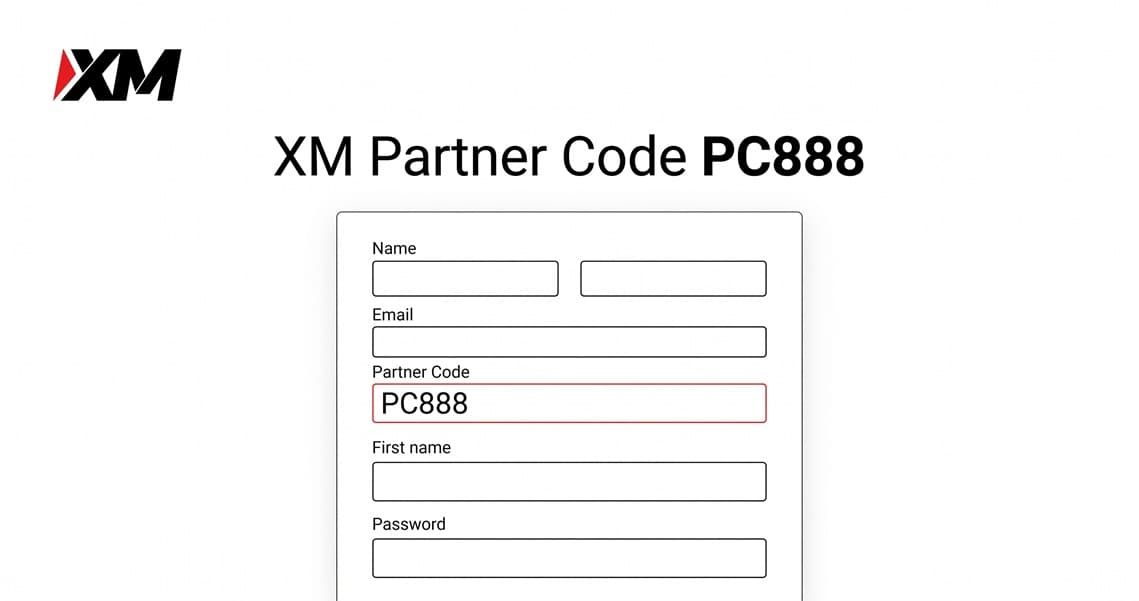
What an XM partner code does
An XM partner code identifies the partner who introduced you when your account is created. Entering PC888links your registration to this site's partner offer — that is its whole job. Your trading conditions are XM's standard conditions either way: same spreads, same commissions, same platforms, same support.
What the code helps ensure is a clean connection to the partner promotion package. XM's advertised new-client promotions — the $30 no-deposit bonus and the tiered deposit bonuses — are shown to eligible clients in the registration flow and Member Area, and claiming them works the same whether you arrived through a partner or not. The code never subtracts anything; it cannot make an offer worse.
Where to enter PC888 during registration
XM's registration form includes a partner-code field alongside your personal details. Type PC888 there before submitting the form. Two practical notes:
- If you open XM through the buttons on this page, the attribution is applied automatically — the field can stay empty.
- Attribution is set when the account is created. If you have already registered without the code, ask XM support whether it can be applied afterwards — entering it at signup is the reliable route.
How to open an XM account with PC888
- 1
Open the XM registration page
Use any button on this page. XM shows the account types, platforms and promotions available for your country.
- 2
Fill in your details and enter PC888
Complete the registration form with your real name and details, and type PC888 in the partner-code field (or leave it — arriving from this page applies the same attribution).
- 3
Choose your account type and platform
Pick between the account types offered in your region — commonly Micro, Standard or Ultra Low from a $5 minimum — and select MT4 or MT5.
- 4
Verify your identity
Upload ID and proof of address in the Member Area. Verification unlocks funding, withdrawals and any promotional credit.
- 5
Claim the promotions shown for your country
Eligible offers — such as the $30 no-deposit bonus — appear in your Member Area after verification. The terms displayed there are the ones that apply.
Signup benefits available with PC888
For eligible new clients, the partner offer connected to PC888 advertises:
- A $30 no-deposit bonus — trading credit applied after verification, no deposit required
- A 100% deposit bonus up to $200
- A further 50% deposit bonus up to $500
- An additional 20% deposit bonus up to $5,000 — up to $5,700 in combined deposit credit
Two rules keep expectations accurate. First, availability is regional and never guaranteed: the offers that apply to you are the ones displayed in your own registration flow or Member Area. Second, bonus credit is trading credit, not withdrawable cash— it works as margin, while eligible profits made with it can be withdrawn under XM's conditions. The full deposit tiers are documented in our XM deposit bonus guide.
Which countries can use PC888?
PC888 works in every country where XM accepts new clients — the code itself has no geographic limits. XM serves traders across Asia, Africa, Europe, the Middle East and Latin America, with local-language platforms, support and regionally common funding methods available in many markets alongside cards and bank transfer.
Three things do depend on your country: the XM entity that contracts with you (named during registration), the account menu and leverage offered, and promotion availability — which can change, so treat the offer screen in your own Member Area as the final word. A small number of jurisdictions cannot open XM accounts at all; eligibility is confirmed automatically in the registration flow.
XM account and platform choices
Registering with PC888 gives you the same account menu as any XM client in your country. Across the region that commonly means Micro and Standard accounts for conventional lot sizing, Ultra Low variants for tighter spreads, and in some markets a commission-based Zero account — most from a $5 minimum deposit, with demo accounts free to open. Platforms are MT4, MT5, WebTrader and the XM app; MT5 is the usual choice for new accounts, while MT4 remains popular for Expert Advisors.
For the full picture of spreads, account types, funding and withdrawal times, read our complete XM review — it covers the details this page keeps short.
XM partner code PC888 — FAQ
What is the XM partner code for 2026?
The XM partner code is PC888. Enter it in the partner-code field of XM's registration form, or simply register through this page and the attribution is applied automatically.
Where do I enter PC888 during XM registration?
XM's registration form includes a partner-code field — type PC888 there before submitting. If you open XM through the links on this page, the registration is linked to the same partner offer even if you leave the field empty.
Does PC888 unlock a bigger bonus than registering without a code?
PC888 links your registration to this partner offer; the promotions themselves — such as the $30 no-deposit bonus and tiered deposit bonuses — are XM offers whose availability depends on your country and account type. The code does not add fees, and no code unlocks secret promotions beyond what XM shows in your Member Area.
Is partner code PC888 valid in my country?
Yes — PC888 works in any country where XM accepts new clients; the code itself has no geographic limits. What varies by country is promotion availability: the bonuses shown in your own registration flow or Member Area are the ones that apply to you.
Can I add partner code PC888 after registering?
Partner attribution is normally set when the account is created, so the simplest approach is entering PC888 during registration or joining through this page. If you already registered and want the code applied, ask XM support whether attribution can be updated for your account.
Are the XM signup bonuses withdrawable cash?
No. Bonus credit is trading credit: it can be used as margin but is never paid out as cash. Eligible profits made while trading with bonus credit can be withdrawn under XM's conditions. Bonuses are also not guaranteed — they depend on your country's eligibility.
Does using partner code PC888 cost anything or change my spreads?
No. Accounts opened with PC888 have the same spreads, commissions, execution and support as accounts opened without any code. The code identifies the referring partner — nothing about your trading conditions changes.
Enter PC888 in the partner-code field, or register through this page to apply it automatically. Promotions shown in your Member Area are the ones that apply to your country.
Terms apply and offers can change — always confirm on the official site.